
Desktop Transcription · Offline AI
Local Transcription.
No Internet.
No Compromise.
Transcribe audio and video files directly on your PC using AI. No cloud. No subscription. No API costs.
Why Transkribe
Everything runs on your machine.
Your files stay private. No uploads. No accounts. Just fast, local transcription.
100% Offline
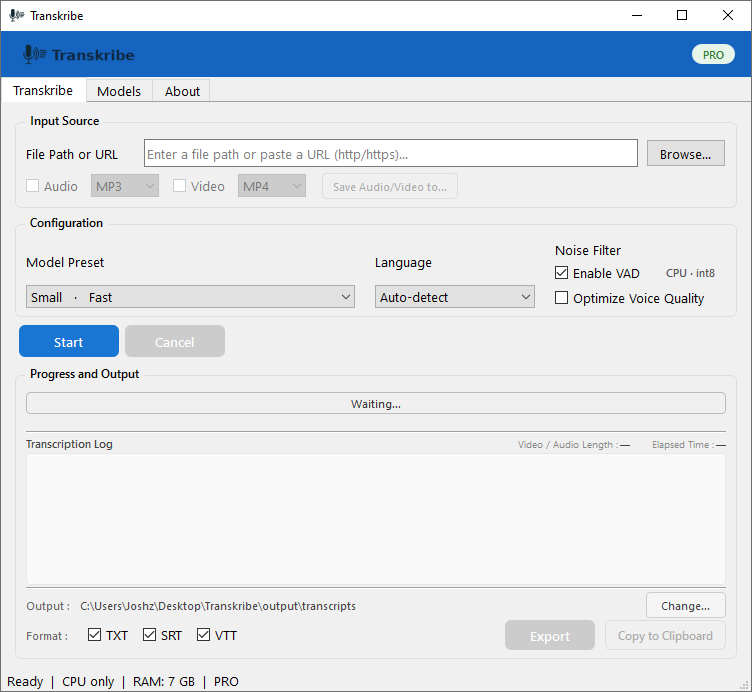
All processing happens on your PC. Your files never leave your computer — no cloud dependency, no privacy concerns.
Local Files & URLs
Transcribe audio and video files from your drive, or paste a URL from a source you own the rights to download.
Only use URLs from sources you have the right to download. Streaming platforms such as YouTube, Netflix, and TikTok prohibit downloading.
Export to TXT, SRT, VTT
Get your transcript ready for documents, subtitles, or captions. Export in standard formats that work everywhere.
Multiple Whisper Models
Choose from Small to Large v3 depending on your speed and accuracy needs. The right model for every job.
How It Works
Three steps from file to transcript.
No sign-up. No internet after initial model download.
Download & Install
Get Transkribe for Windows or Linux. Download the Whisper model once — everything works offline after that.
Load Your File or URL
Browse local audio or video files, or paste a URL from a source you own. No accounts, no configuration.
Get Your Transcript
Export to TXT, SRT, or VTT in seconds. Copy directly to your clipboard or save to disk.
Pricing
Free to start.
One payment to unlock.
No monthly fees. No subscriptions. No API costs. Ever.
- Up to 10 minutes per file
- All core features
- Windows & Linux
- Standard Whisper model
- Unlimited duration
- All Whisper models
- Windows & Linux
- Priority support
FAQ